Status
Check Stores
1 stores
Lowest Deal
18,800 BDT
Best Deal
Price Range
Single price listing
Product Description
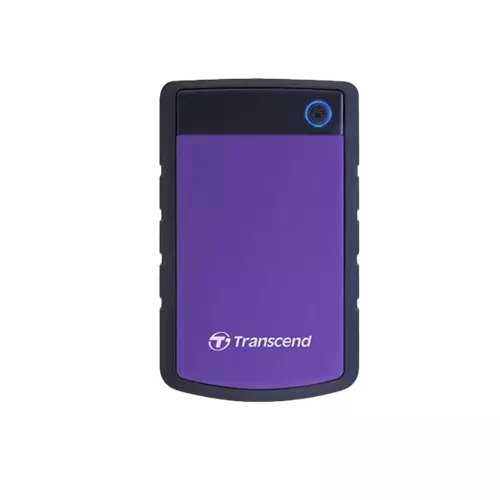
The **Transcend 4TB** is a premium quality **Storage (HDD)** designed to offer durability, high efficiency, and seamless compatibility with standard desktop PC configurations. Currently, the lowest price in Bangladesh for this item is **18,800 ৳**, with active inventory listings tracked from TechLand BD.
Part ID: #CAN-09849
Last Updated: 1 month ago
Available Deals & Price Comparison
Prices updated daily| Retailer | Stock Status | Price | Last Checked | Action |
|---|---|---|---|---|
|
TechLand BD
Transcend J25H3P 4TB USB 3.0 Purple External HDD
|
Check Stock | 18,800 | 3 months ago |
Historical Pricing Trend
Product Specifications
General Specifications
Warranty
3 Years
Op. Voltage
USB DC 5V
Shock Proof
Yes
Connectivity
USB 3.1 Gen 1 (backward compatible with USB 2.0)
Capacity (GB)
4TB
Storage Media
2.5-inch SATA Hard Disk Drive
Power Saving Mode
10 mins
System Requirements
Microsoft Windows 7Microsoft Windows 8Microsoft Windows 8.1Microsoft Windows 10Mac OS X 10.7 or laterLinux Kernel 2.6.31 or later
Internal or External
External
Part ID: #CAN-09849
Last Updated: 1 month ago
prose p { text-align: justify; } Transcend J25H3P 4TB Purple External HDDConnectivityUSB 3.1 Gen 1 (backward compatible with USB 2.0)Op. VoltageUSB DC 5VPower Saving Mode10 minsShock ProofYesStorage Media2.5-inch SATA Hard Disk DriveSystem RequirementsMicrosoft Windows 7Microsoft Windows 8Microsoft Windows 8.1Microsoft Windows 10Mac OS X 10.7 or laterLinux Kernel 2.6.31 or laterInternal or ExternalExternalCapacity (GB)4TBWarranty3 YearsTranscend J25H3P 4TB Purple External HDDCapacity 4TBStorage Media 2.5" SATA HDDMilitary-grade shock resistance*Connection Interface USB 3.1 Gen 1 (backward compatible with USB 2.0)Advanced 3-stage shock protection systemDurable anti-shock rubber outer caseAdvanced internal hard drive suspension systemQuick Reconnect Button – after safely removing the hard drive from the system, press to reconnect the drive without having to unplug and replug the USB connector againOne Touch Auto-Backup button**256-bit AES file & folder encryption**
Discussion & Comments
You must be logged in to post comments.
No comments yet. Be the first to start the discussion!