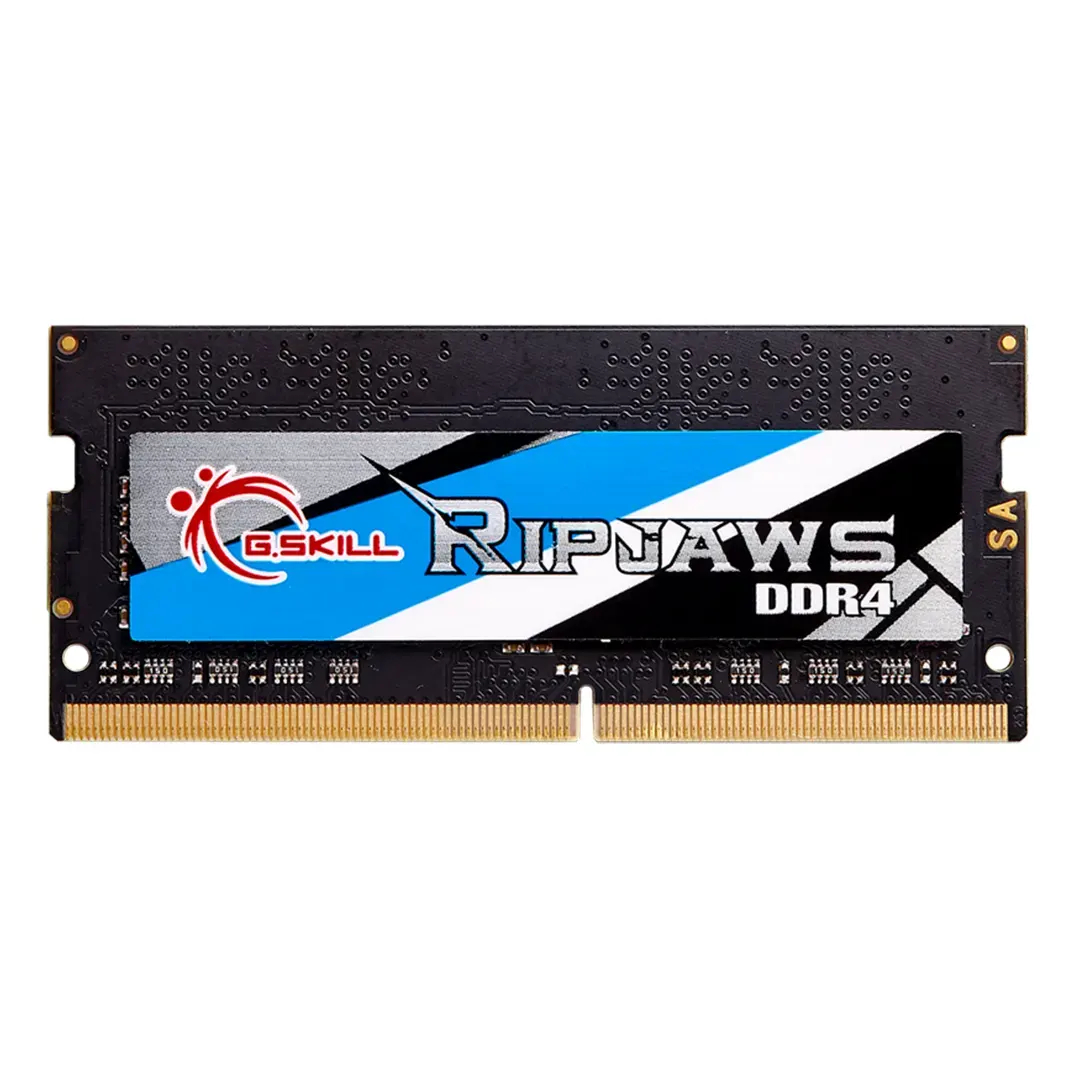
G.Skill Ripjaws SO-DIMM 16GB 2400MHz DDR4L RAM

Memory • Brand: G.Skill • Aggregating live prices from leading computer stores in Bangladesh.

Status
In Stock
2 listings tracked
Lowest Deal 13,200 Best Deal
Price Range Single price listing
G.Skill Ripjaws SO-DIMM 16GB 2400MHz DDR4L RAM

Product Description

This G.Skill memory module **DDR4** memory, delivering low latency and high bandwidth for seamless multitasking. You can buy this component starting from **13,200 ৳**, compared dynamically across 2 major computer shops.
Part ID: #CAN-00778 Last Updated: 1 week ago

Available Deals & Price Comparison

Prices updated daily
Retailer Stock Status Price Last Checked Action
Binary Logic G.Skill Ripjaws SO-DIMM 16GB 2400MHz DDR4L RAM
In Stock 13,200 1 hour ago
Creatus Computer G.Skill Ripjaws SO-DIMM 16GB 2400MHz DDR4L Laptop Ram
Check Stock Call for Price 1 hour ago

Historical Pricing Trend

Product Specifications

General Specifications

Series Ripjaws DDR4 SO-DIMM
Memory Type DDR4
Form Factor SO-DIMM
Channel Config Single-channel
Capacity 16GB (16GBx1)
Tested Speed 2400MHz
CAS Latency 16-16-16-39
Voltage 1.20v
Heat Spreader No
Warranty Lifetime
Part ID: #CAN-00778 Last Updated: 1 week ago
Laptop Ram Feel The Boost In Speed With G.Skill Ripjaws 2400MHz! Designed For The Latest Generation Of 6th Gen Intel® Core™ Processors, This Memory Kit Is The Ideal System Upgrade And Provides Faster Data Transfer And Higher Energy Efficiency Than Ever. Additionally, The Automatic Overclocking Feature Delivers Instant Performance Boost Without Any Manual Adjustments To BIOS Settings. Experience A New Standard Of Speed With Ripjaws DDR4 SO-DIMM Today! Auto-Overclocking No More Messing Around With Manual BIOS Settings. G.SKILL Ripjaws DDR4 SO-DIMM Series Feature Auto-Overclocking. Once You Install The Memory, Qualified Systems Will Automatically Detect The Rated Overclock Speed And You Can Instantly Enjoy The Performance Boost. It’s That Easy. Designed For Ultra Performance And Reliability Built Only With Specially Screened Components, Hand-Picked From G.SKILL’s Rigorous And Highly Selective Binning Process, Every Single Memory Kit Is Prudently Tested To Guarantee Maximum Performance And Reliability Assurance. Designed For The Latest 6th Gen Intel® Core™ Processors The G.Skill Ripjaws 2400MHz Is Compatible With The Latest 6th Gen Intel® Core™ Processor On Laptops And Small Form Factor PCs That Support DDR4 SO-DIMM Memory. It Is One Of The Easiest And Most Cost-Effective Ways To Upgrade Your PCs, No Matter For Gaming Or Working. More Power Efficient Requiring Only 1.2V, The G.Skill Ripjaws 2400MHz Reduces Power Consumption And At The Same Time, Lowers Heat Output That Helps Your Systems Run Cooler, More Stable, And More Efficient. G.Skill Ripjaws SO-DIMM 16GB 2400MHz DDR4L Laptop Ram Review It doesn’t matter if you’re a programmer, avid gamer, or a content developer. Maybe all you do with your PC is access an email account. In any case, RAM can make an enormous difference in the speed of your system. But especially for people who want to have more than two or three windows open at a time. Fortunately, picking laptop RAM isn’t much tougher than picking any other type of RAM. Swapping components inside your laptop might sound like a pretty intimidating and potentially challenging experience, but you don’t actually need any special experience to install laptop RAM. In most cases, installing RAM into your laptop is only marginally more difficult than installing it into a desktop. Which is about as difficult as connecting some Lego blocks. However, you do need to check a few boxes to ensure you end up with everything you expect. First and foremost, you should ask yourself, how much is enough? A good way to gauge how much RAM you need is by looking at the system requirements for the programs you want to run. But if you don’t have those in mind, there are also some pretty good rules of thumb you can follow. For instance, the average person really only needs about 8GB of RAM. With that much at your disposal, you should be able to play essentially any game, and operate essentially any consumer grade computer program. But moving to 16GB does help in a couple of ways. For starters, it means you can keep many more applications open. For instance, a video streamer could load their streaming software, a videogame they’re playing, and an internet browser to watch their stream in real time. That eats up a lot of RAM, but with 16GB, even a power-user like an internet streamer shouldn’t encounter any limits. It’s only people who are doing development work who really might need more than 16GB. For those people, it’s often possible to expand up towards 32GB. But keep in mind, in addition to your laptop having a finite number of RAM slots, there is a limit to the quantity of RAM you can have inside your operating system. Those limits are typically up around 32GB, so you don’t have to overthink them. Specification: Ram Capacity 16GB (16GBx1) Memory Type DDR4 Bus-Speed 2400MHz Memory Platform SO-DIMM Number-of-Pin 16-16-16-39 Voltage 1.20v Warranty Lifetime  ..

Discussion & Comments

You must be logged in to post comments.

No comments yet. Be the first to start the discussion!