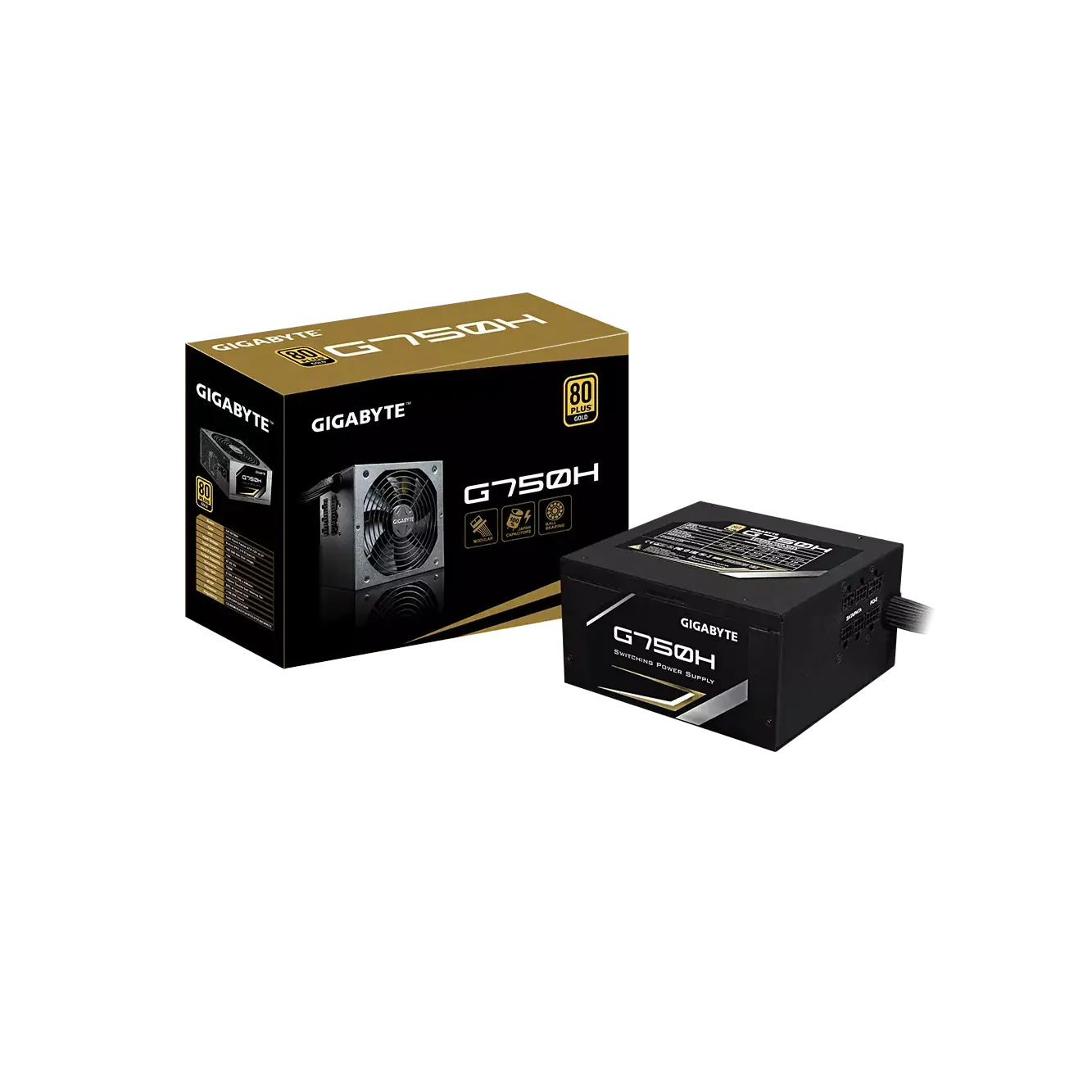
Gigabyte GP-G750W 750 Watt Power Supply

Power Supply • Brand: Gigabyte • Aggregating live prices from leading computer stores in Bangladesh.

Status
In Stock
4 listings tracked
Lowest Deal 8,150 Best Deal
Price Range 8,150 to 8,500 Save 4%
Gigabyte GP-G750W 750 Watt Power Supply

Product Description

This Gigabyte power supply delivers a continuous output of **750W**, ensuring stable voltage regulation and energy-efficient operation for your desktop build. PCPartsBD lists the best deal for this item at **8,150 ৳** after tracking live prices across leading BD tech merchants.
Part ID: #CAN-05543 Last Updated: 2 days ago

Available Deals & Price Comparison

Prices updated daily
Retailer Stock Status Price Last Checked Action
TechLand BD Gigabyte GP-G750W 750 Watt Power Supply
In Stock Call for Price 3 hours ago
Ultra Technology GIGABYTE GP-G750W 750 WATT POWER SUPPLY
Check Stock Call for Price 3 hours ago
Nexus Computer Gigabyte GP-G750W Power Supply
Check Stock 8,150 3 hours ago
PC House GIGABYTE GP-G750W 750 WATT POWER SUPPLY
Check Stock 8,500 3 hours ago

Historical Pricing Trend

Product Specifications

General Specifications

Fan 140mm Double ball bearing fan
MTBF >100,000 hours
Input Input Voltage : 100-240 Vac (full range) Input Current : 10A Input Frequency : 47-63 Hz
Output 750W
Warranty 02 Years
Connector MB 20+4 Pin x1 CPU 4+4 Pin x1 PCI-e 6+2 Pin x4 SATA x7 4Pin Peripheral x3 4Pin Floopy x1
Dimension D140 x W150 x H86mm
Efficiency (Approx.) 90% at typical load
Part ID: #CAN-05543 Last Updated: 2 days ago
GIGABYTE GP-G750W 750 WATT POWER SUPPLY (Only for PC Sale)Power Supply Units [PSUs] are often overlooked during a PC build despite its crucial part in determining the reliability of the entire system. All your PC components depend on PSU for power. Even if you’re on a tight budget, you don’t want to make any compromises when it comes to the power supply. We’re here to discuss factors you need to consider before purchasing the PSU for your rig.The GIGABYTE GP-G750W 750 Watt Power Supply is a high-performance and reliable power supply unit designed specifically for PC systems. With its robust features and impressive power output, it ensures stable and efficient power delivery to meet the demanding requirements of modern gaming and professional applications.The power supply unit (PSU) is equipped with various connectors to accommodate different components of a PC system. It includes a 20+4 Pin connector for the motherboard, a 4+4 Pin connector for the CPU, and four PCI-e 6+2 Pin connectors for high-end graphics cards. Additionally, it offers ample connectivity for storage devices with seven SATA connectors, three 4Pin Peripheral connectors for peripherals, and a 4Pin Floppy connector for legacy devices. This wide range of connectors ensures compatibility with a variety of PC configurations.With a power output of 750 Watts, this PSU provides ample power for even the most power-hungry components, such as high-end graphics cards and processors. The ATX form factor ensures compatibility with standard PC cases, allowing for easy installation. The voltage input range of 100-240 Vac enables usage in various regions without the need for additional power adapters or converters.Efficiency is a crucial factor in a power supply unit, and the GP-G750W excels in this aspect with an approximate efficiency of 90% at typical load. This high efficiency not only reduces power wastage but also ensures that the PSU operates cool and minimizes energy costs. The PSU's cooling is handled by a 140mm double ball bearing fan, which provides efficient heat dissipation and operates quietly even under heavy loads.Features:Wattage RequirementThere is no point in buying a PSU with way more potential power than you’ll ever use. A PSU calculator web page or software can be handy in finding a rough estimation of the wattage requirement of your build. However, it is not recommended to purchase a PSU just above your system’s power needs. A PSU delivers maximum efficiency with 40 to 60 percent load. Besides, the performance of a PSU declines with time. So, you better opt for a PSU capable of taking you through your next few upgrades for multiple years.Physical Dimensions of the PC CaseYou must buy a PSU that fits inside your PC case. Higher-wattage PSUs tend to be a bit longer [compared to typical 5.5 inch PSUs] to house the additional power components they need. This may create issues with cable routing or even with placing other internal components inside the case. So, it is a must to go for a PSU compatible with your PC case.Type and Number of ConnectorsDifferent PSUs come with different types of power connectors, including 20/24-pin power, 4-pin ATX12V, 4-pin Molex, floppy, SATA, 6-pin PCI-Express graphics and 8-pin PCI-Express graphics. You must get a power supply with connectors your PC components required. If you don’t find required connectors in a PSU within your budget, check what cable adaptors the PSU includes to extenuate the problem.Modular or Non-ModularIf you have limited space in your case, it’s worth paying extra for a modular power supply. A modular PSU let you plug in the power cables you need and leave the extra ones. This facility will help reduce cable clutter that can hinder airflow and heat up the atmosphere inside the case.Power EfficiencyPSUs convert voltages from wall outlets to lower levels as required by the PC. The power supply wastes some power as heat during the conversion. A PSU with higher efficiency means it can power the PC with minimum loss of electricity. Anything 80% and above is good. With a more efficient PSU, you can end up saving money as it will require less electricity to power your PC. The “80 Plus” Certification shows that the power supply has been tested to have 80% efficiency at every load. There are higher tiers of 80 Plus that show even higher efficiency such as 80+ Bronze or Silver. As the efficiency of the PSU gradually drops during the lifespan of the PSU, it is recommended to opt for a PSU with the maximum efficiency possible as long as it agrees with your budget.

Discussion & Comments

You must be logged in to post comments.

No comments yet. Be the first to start the discussion!