Status
Check Stores
2 stores
Lowest Deal
Out of Stock
Price Range
Single price listing
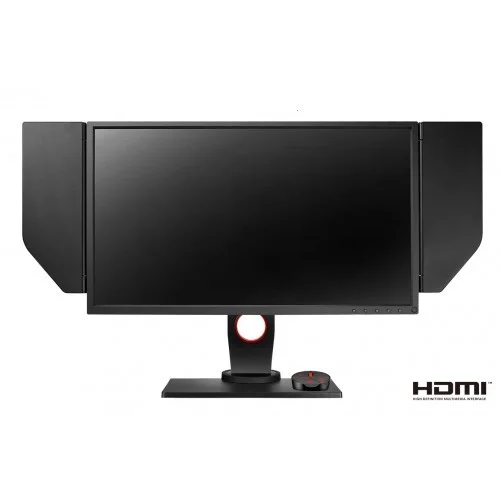
Product Description
The BenQ ZOWIE XL2540 is built for esports athletes and competitive gamers who demand razor‑sharp motion and zero lag. Experience tournament‑grade performance on a 24.5‑inch screen that delivers fluid, blur‑free visuals at breakneck speeds.
Key Technical Highlights
- 240 Hz refresh rate paired with a 1 ms GTG response time for ultra‑smooth gameplay.
- Full HD 1920 × 1080 resolution on a TN panel with 1000:1 contrast ratio and 400 cd/m² brightness.
- AMD FreeSync technology eliminates screen tearing and stutter.
- Versatile connectivity: Dual HDMI, DVI‑D, DisplayPort 1.2, plus a USB 3.0 hub for peripherals.
- Ergonomic tilt range (‑5° to 20°) and built‑in dust cover to reduce glare and keep the display clean.
Optimized for Competitive Gaming
The XL2540’s low input lag and ZOWIE‑tuned visual settings give pro‑level players a decisive edge in fast‑paced shooters and MOBAs, ensuring every frame is crisp, every reaction is instant, and every victory is earned.
Part ID: #CAN-08283
Last Updated: 1 week ago
Available Deals & Price Comparison
Prices updated dailyHistorical Pricing Trend
Product Specifications
Display Features
Resolution
FHD (1920 x 1080)
Refresh Rate
240 Hz
Response Time
1 ms
General Information
Features
Free Sync
Input Type
HDMI, Audio Jack, DVI
Screen Size
24.5 inch
Part ID: #CAN-08283
Last Updated: 1 week ago
Discussion & Comments
You must be logged in to post comments.
No comments yet. Be the first to start the discussion!